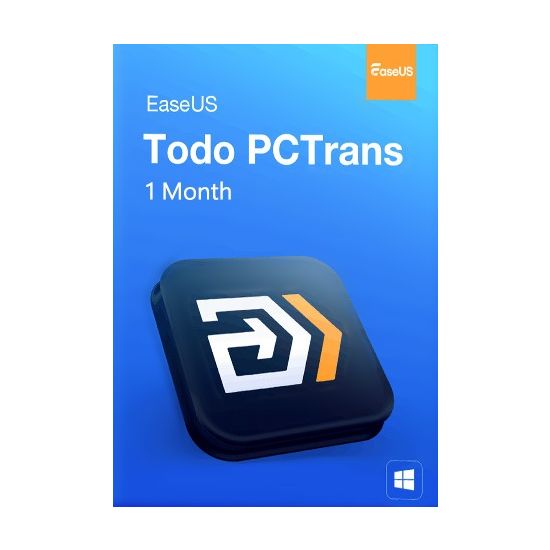

Transfer Everything To Your New Windows 11/10
- Transfer programs, settings, and data to a new PC.
- Create a full backup to keep your entire computer safe.
- Data rescue-recover data from a broken or dead computer.
- Experience 5-10x faster wired connections for seamless PC-to-PC data transfer.
Safely & Quickly Transfer Everything To New PC
Transfer Files & Apps To Your New PC
EaseUS Todo PCTrans Pro helps automatically migrate your programs, software settings, documents, music, pictures, videos, favorites, emails, etc., from one computer to another without data loss. The most common applications/programs, including MS Office (Word, Excel, Outlook, etc.), are all supported.
Migrate User Accounts and Settings to New PC or System
EaseUS Todo PCTrans Pro migrates everything to the new computer and makes it feel like the old one. It covers everything you have. Not just files and programs – your accounts, passwords, profiles, personalization, and settings are all copied for transfer.
Then you can start working on your new computer immediately, without spending days setting everything up manually. It works with any Windows (including Windows 11) and with any computer.
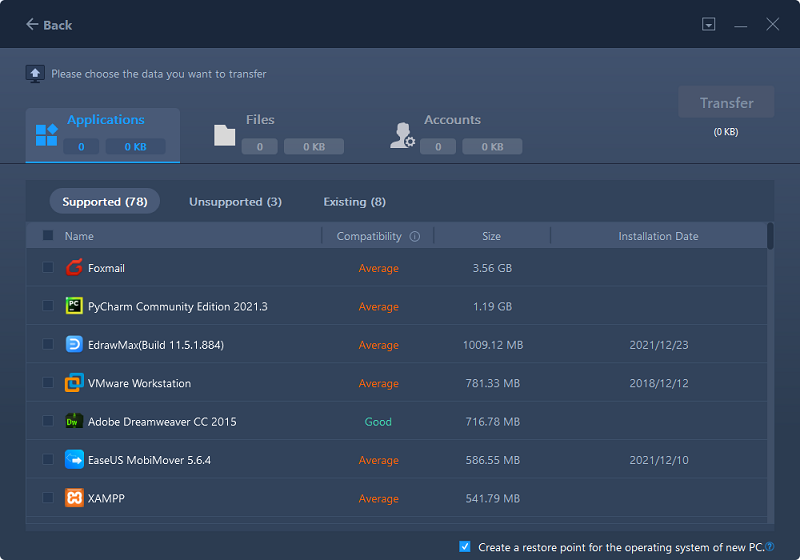
Safe & High-speed Large File Transfer
EaseUS Todo PCTrans Pro is a software-based large file transfer solution dedicated to meeting the needs of high-speed large data transfers with high security regardless of file size, distance, or network conditions, providing you with fast, safe, stable, cost-efficient, and convenient large file transfer services.
Backup Your Entire Computer For Protection
EaseUS Todo PCTrans Pro can create a copy of your entire computer, including your documents, music, pictures, favorites, programs, software settings, accounts, emails, etc., keeping you safe from Ransomware virus attacks and other unexpected disasters.
The backup file can be saved anywhere convenient for you, for example, on your computer, on a USB external drive or a network drive, or even on Cloud storage such as Dropbox or OneDrive, and is available for recovery right away.
Get A Cleaner, Faster, and Smoother-Running PC
EaseUS Todo PCTrans is a quick, simple way to clear unwanted files and give your PC a noticeable performance boost.
- Safely Clean Unnecessary System Files
Regain valuable hard disk space by removing system files that are no longer necessary to the functioning of the operating system–old installation files, Windows Update leftovers, outdated device drivers, and more. - Quickly Remove Large Unnecessary Files
Search for and remove files hiding in the depths of your storage drive that you don't need but are taking up vast amounts of space. These could be log files, temporary files, or installation apps for programs you've already installed. - Easily Get Rid of C Drive Is Full Issue
When your C drive becomes cluttered and slows down your PC, you can use EaseUS Todo PCTrans to clean up temporary and other old unnecessary files or move installed programs from the C drive to the D drive to recover space and speed things back up again.
Data Rescue-Recover Your Data and Accounts from Dead Computer
Occasionally, your computer become unbootable while you have a huge amount of valuable data on it. EaseUS Todo PCTrans Pro can completely restore files and programs from an unbootable dead computer in the way of transferring your data from your old hard drive to the new computer.
- Remove the hard drive from the crashed or dead computer
- Connect the hard drive to a new computer
- Transfer files, programs, accounts and other settings from your old hard drive to the new computer.
3 Simple Steps to Complete the Transfer
1. Choose to transfer by network connection
Run Todo PCTrans on both your old & new PCs, and then select "PC to PC" transfer mode.r
2. Choose a PC to connect with
The product will list the computers with EaseUS Todo PCTrans running. Select the computer you want to connect.
3. Select what to transfer
Edit the content you want to transfer, then click Transfer to start.
System Requirement
- Windows 11
- Windows 10
- Windows 8/8.1 32-bit and 64-bit
- Windows 7 32-bit and 64-bit
- Windows Vista 32-bit and 64-bit
- Windows XP 32-bit and 64-bit
- Windows Server® 2003/2008/2012/2016/2019/2022